Finance Operations Platform
Built to replace slow manual accounting workflows, this finance operations system automates invoice extraction, matches payments to ERP ledgers, detects transactional anomalies, and delivers executive cash-flow visibility in real time.
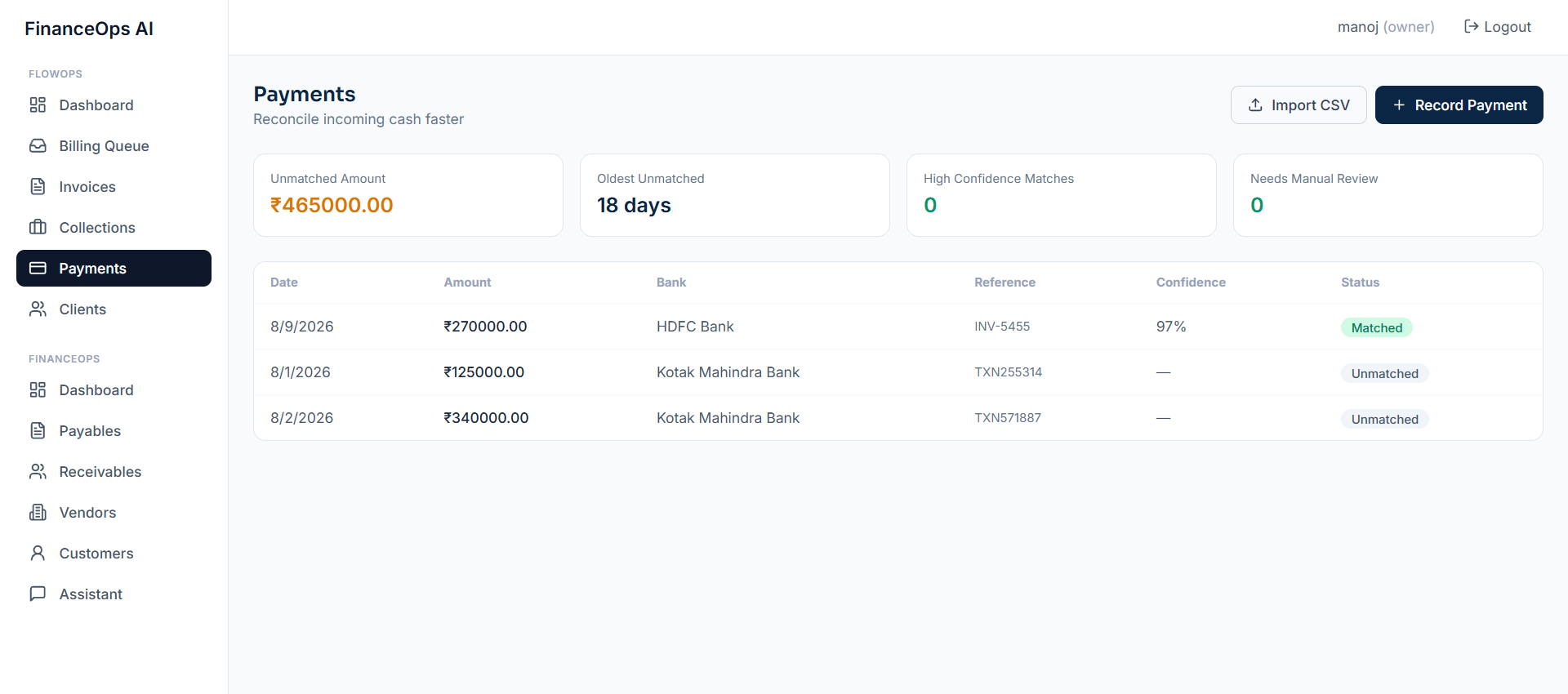
Manual Reconciliation & Delayed Closing Cycles
Finance teams spent hundreds of hours every month manually matching bank statements against ERP records, processing PDF invoices, and chasing approval sign-offs across departments.
- Month-end financial closing required up to 14 days of manual auditing.
- Document ingestion errors led to duplicate invoice payments.
- Lack of real-time visibility into pending accounts payable liabilities.
AI Ingestion & Automated Ledger Reconciliation Engine
Kalkin Labs delivered an intelligent financial control system with computer vision document extraction, fuzzy ledger matching algorithms, and automated approval routing workflows.
- Sub-second AI document parsing extracting line items, tax IDs, and payment terms.
- Automated 3-way matching between POs, receiving slips, and vendor invoices.
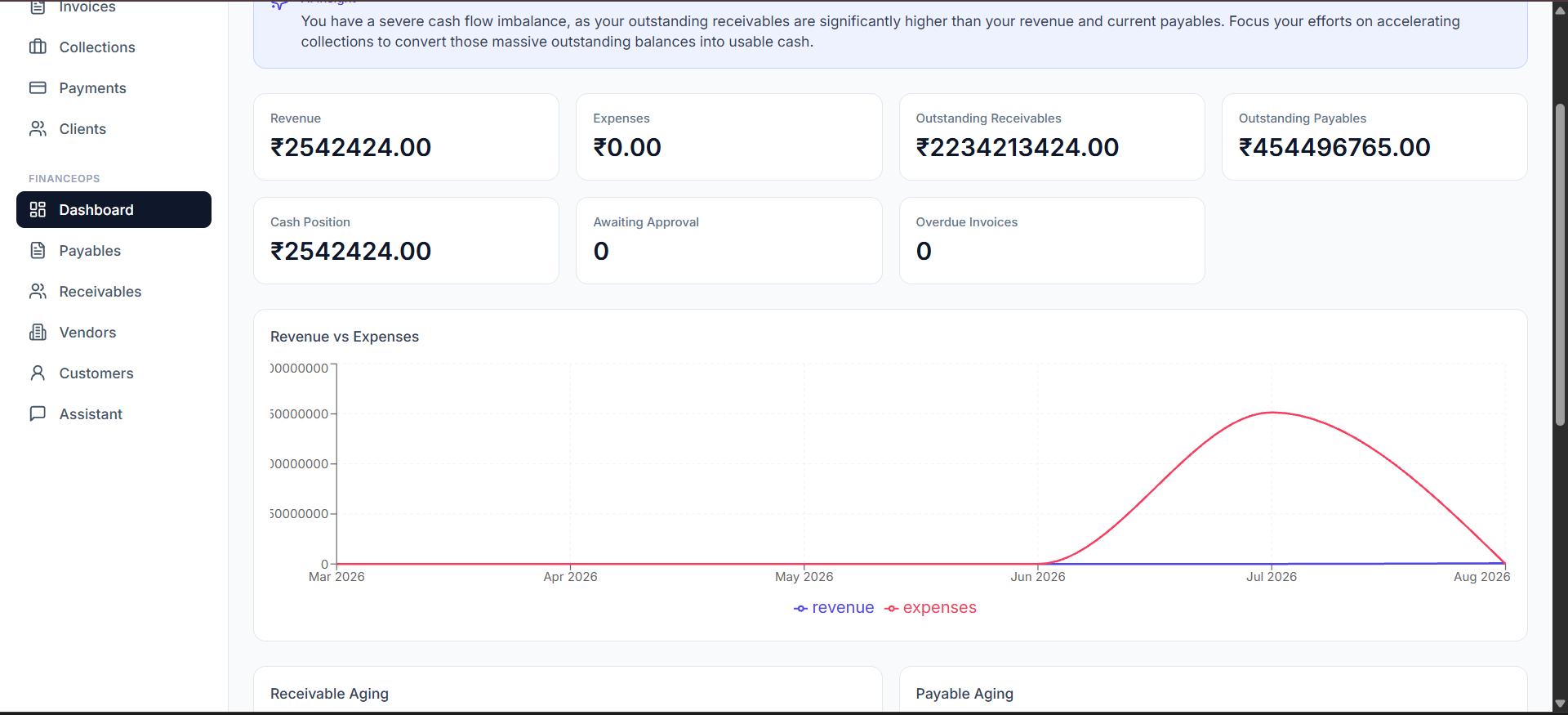
- Real-time cash flow runway projection engine with audit trail compliance.
Key Features
Multi-format Document Extraction
Parses PDF, paper scans, and email invoices into structured ledger data.
3-Way Match Verification
Cross-checks invoices against purchase orders and warehouse receipts.
Automated Approval Pipelines
Routes high-value expenses through multi-tier approval authorization trees.
Real-time ERP Bridge
Bi-directional sync with Quickbooks, SAP, NetSuite, and Xero.
How It Works
Invoice & Receipt Ingestion
Documents arrive via email, batch upload, or API webhook into processing queue.
AI Extraction & Entity Validation
Neural extraction reads text, validates math checksums, and flags anomalies.
Automated Ledger Reconciliation
Matching engine pairs line items with open POs and bank statement records.
Approval & ERP Post
Approved items are automatically posted to GL accounts and scheduled for payout.
About This Project
Write a detailed overview of this project here. Explain what the project is, who it was built for, what business problem it addresses, and why the system was needed.
Use this space to explain the background of the project and provide more context that does not fit into the short overview above. You can describe the client, industry, workflow, users, and the goals of the project.
What We Built
Explain the actual system that was built here. Describe the major components, workflows, dashboards, automations, integrations, or AI capabilities included in the project.
You can also explain how the different parts of the system work together and what the user is able to accomplish with the final product.
Business & Technical Context
Add more information about the technical architecture, tools, technologies, integrations, or implementation decisions here. This is a good place to explain the engineering approach without making the main project overview too technical.
You can also explain why particular technologies or architectural decisions were selected and how they helped solve the client's operational requirements.
Project Outcome
Describe the final outcome of the project here. Explain what changed for the client after the system was implemented, what processes became easier, and what operational improvements the solution delivered.
Interface Gallery
Demo Walkthrough
Click to launch interactive system preview
High-definition video walkthrough & workflow trace (02:45)
Qualitative Outcome & Operational Results
Drastically compressed financial closing timelines and eliminated manual ledger entry errors.
Month-end closing cycle reduced from 14 days down to 2 days
99.4% precision in automated document line-item extraction
Complete audit trail compliance across all transactions
Ready to build custom AI or software systems for your business?
Partner with Kalkin Labs to design, engineer, and deploy high-velocity operational software tailored to your workflows.